By: A-dec®
How to visualize the practice you’ve always imagined
The idea of designing your dream practice probably sounds like a lot of fun. And it should be! After all, that’s where you’ll be spending most of your time as a practicing doctor. But when you consider all the options in equipment, furniture, and delivery configurations for every operatory — not to mention the upholstery and finishes — it might also start to sound a little overwhelming.
Don’t stress.
A-dec has an easy way to get past the intimidation and back to the fun: Dream in 3D. With this interactive design tool, you can see your choices — and decide what you like — before you commit to ordering a single thing. Dream in 3D lets you start with an empty operatory scene, add A-dec equipment from a huge product library, play with configurations, materials and finishes, and lots more.
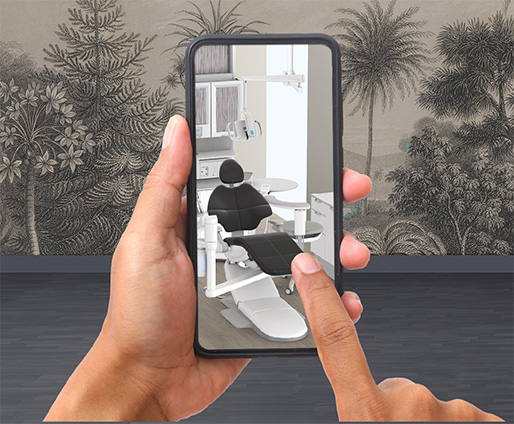
Rotate the room to view your 3D equipment from different angles. Zoom in to see every button, bolt and stitch up close. Experiment with different color combinations. Change, modify and fine-tune your ideas as many times as you want, and when you’ve created one you love, just click to order samples, share a link, or download a PDF of your design.
Sound good? Before you dive in, here are five quick tips to help you get the most out of Dream in 3D. ⭐
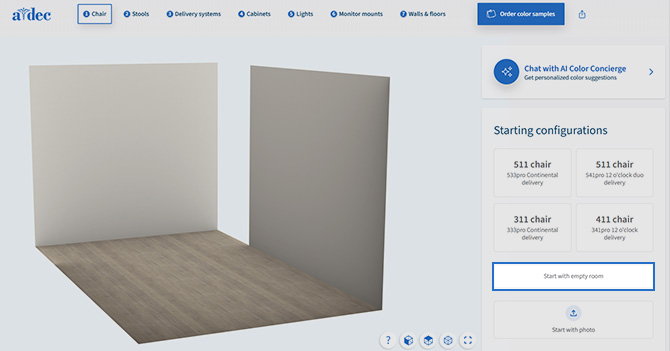
1. Start with an Empty Room
Beginning with an empty 3D room is a good way to explore layout possibilities. Add a dental chair, delivery system, lights, cabinets and stools to see how each piece shapes workflow and ergonomics. Adjust finishes and materials as you go to understand the relationship between form and function.
Starting from scratch helps you evaluate your space more clearly, without existing equipment influencing the design.
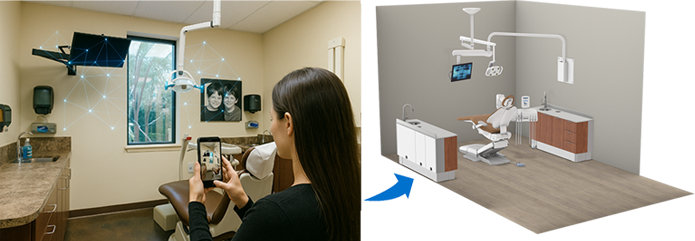
2. Use a Photo of Your Space
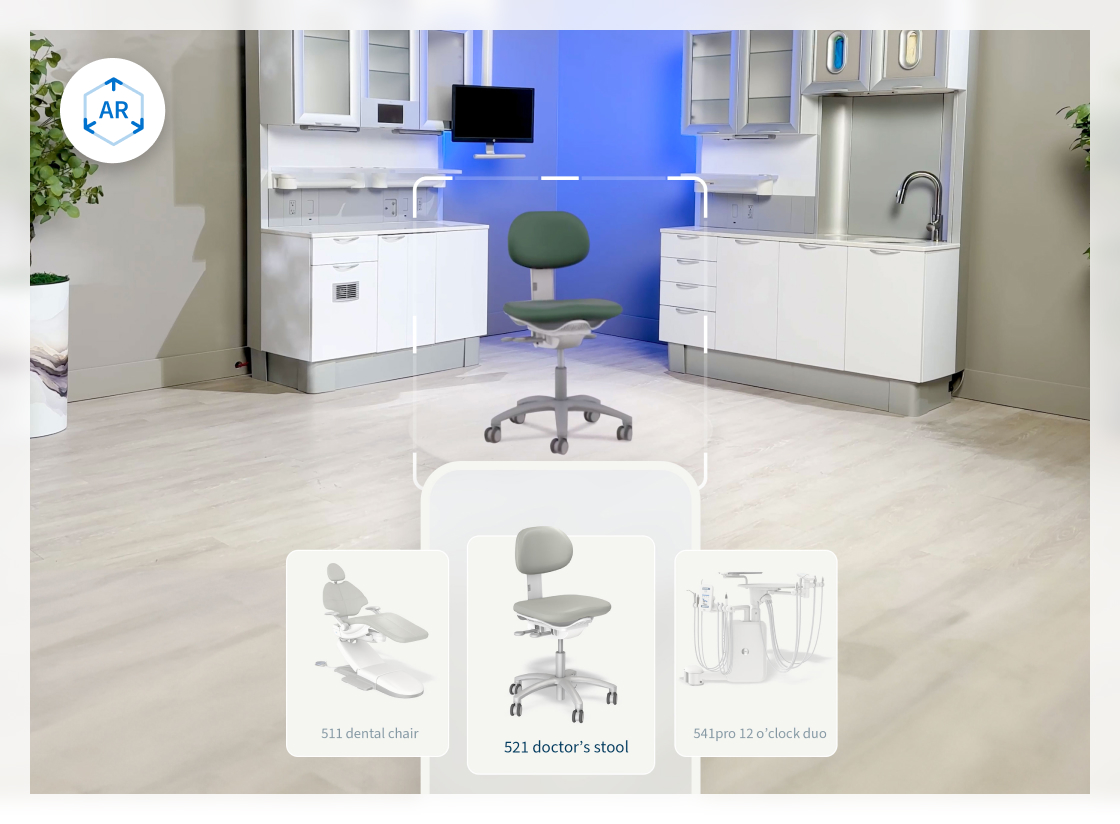
To use your existing space as a starting point, upload a photo or take a live picture of your treatment room to begin the design. Dream in 3D translates your photo into a starting point for the layout, so you can explore different equipment configurations and material selections, using your real space as the reference.
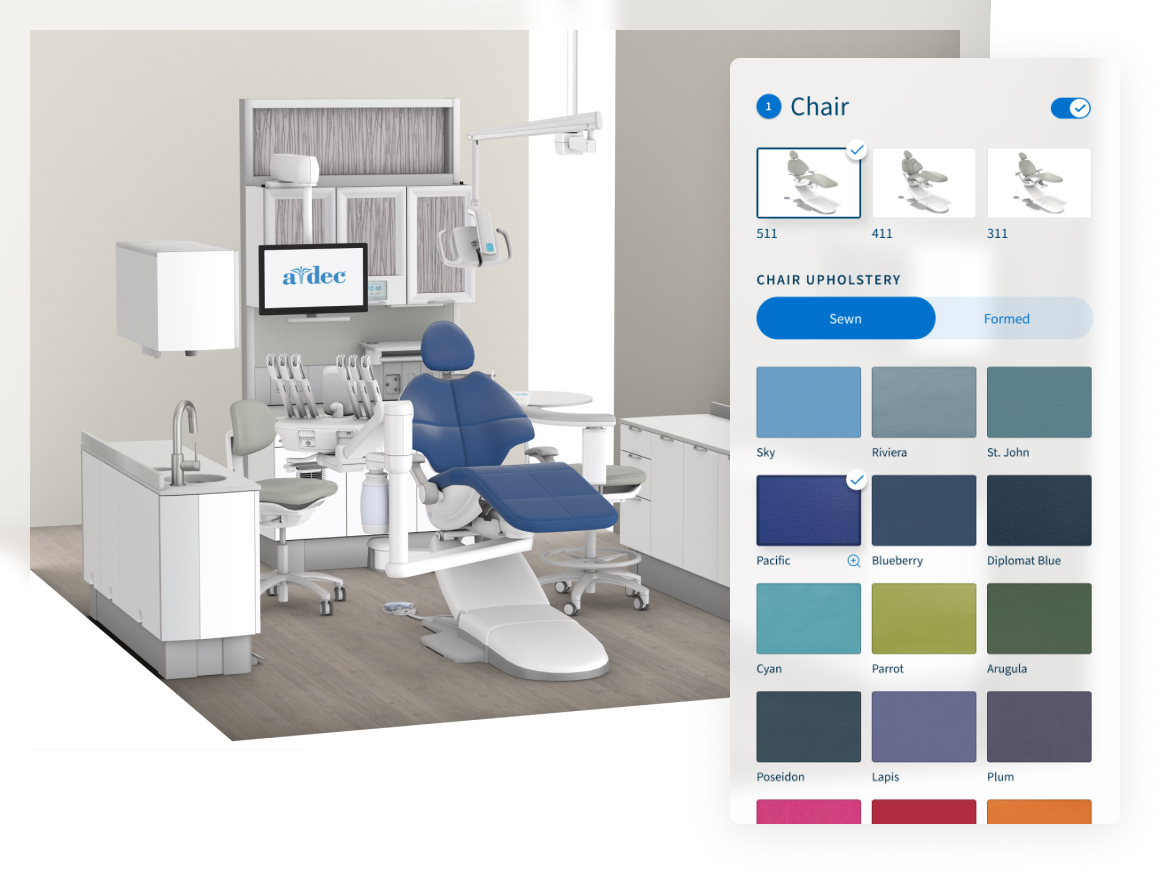
3. Explore Your Color Options
Dream in 3D offers full access to A-dec’s upholstery, cabinet and countertop color palettes, giving you the freedom to create any combination you like. Or let the AI Color Concierge do the work for you. Just describe the look you want (modern, calming, bold, etc.) and the concierge generates coordinated colors across upholstery, cabinetry and countertops. This helps you quickly narrow down a direction and identify combinations that support your brand and the patient experience you envision.
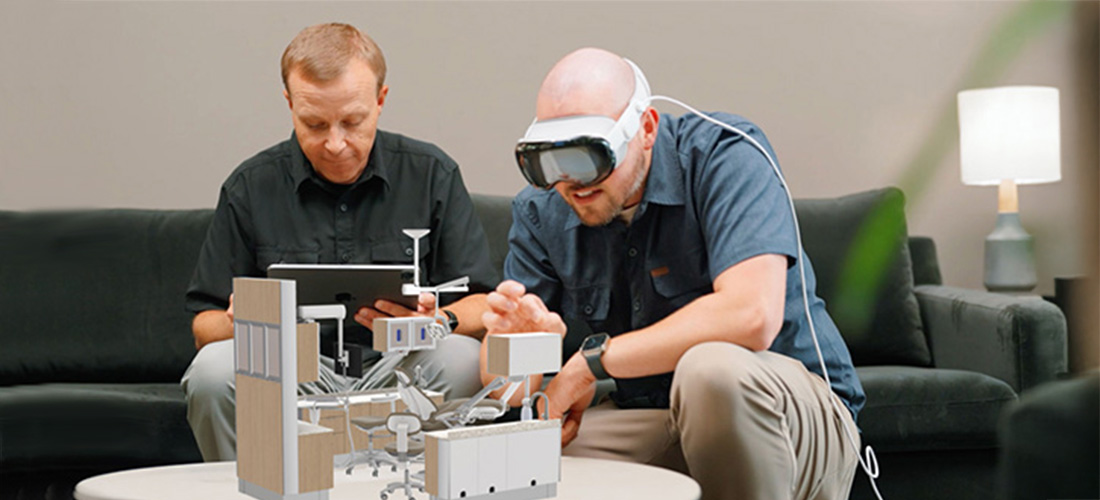
4. View Your Design in AR or VR
Dream in 3D supports two ways to get an advanced view of your ideas: bring your design to life using augmented or virtual reality.
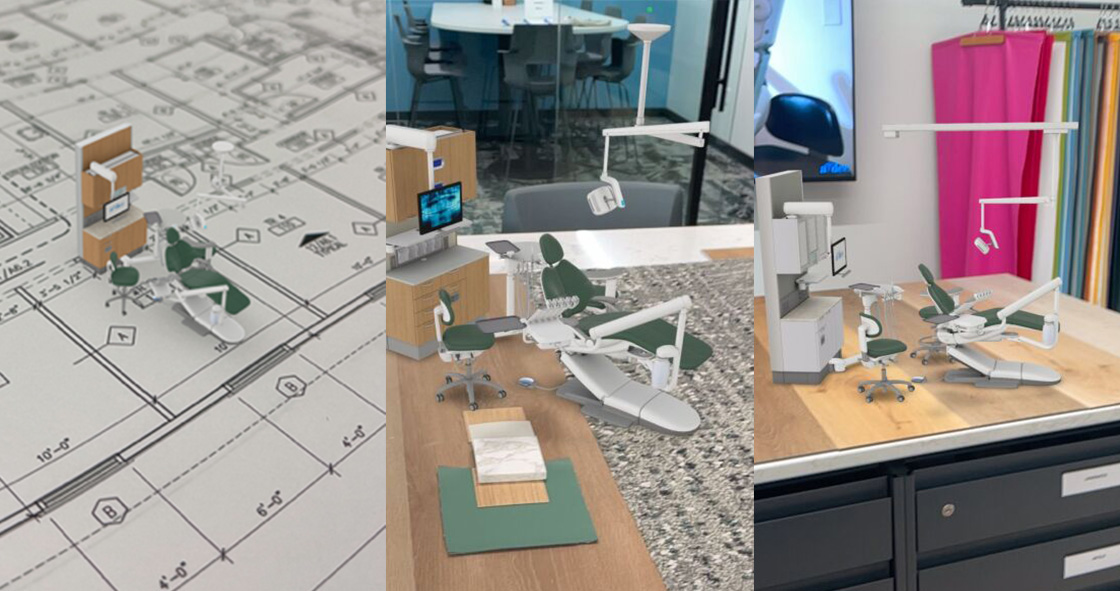
- AR lets you place products to scale in your room, giving you a realistic sense of how they’ll look and fit in your space. You can even scale the AR model down to place it on a physical blueprint or desk, letting your operatory come to life in miniature.
- Try an Apple Vision Pro headset for a fully immersive VR experience of your creation.
5. Save and Share Your Ideas
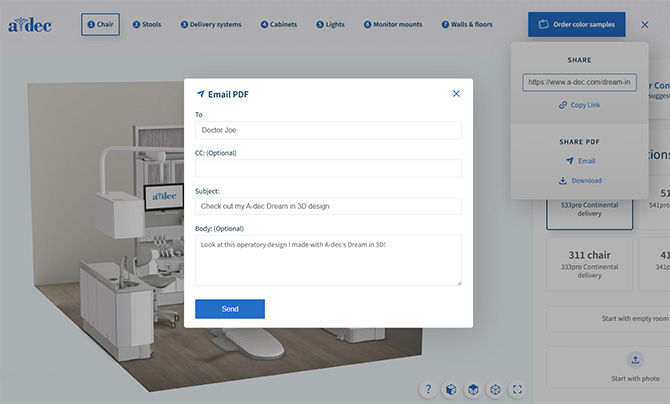
When you’ve created a layout or configuration you want to keep, Dream in 3D has several options for saving and sharing:
- Email your design
- Download a PDF summary
- Copy a direct link to share with your dealer, designer, or A-dec Territory Manager
Saving designs makes it easy to compare options, gather feedback, and move smoothly from early concepts to planning and quoting.
Start Dreaming Today!
Whether it’s a single room or an entire practice, creating your dream space takes vision, planning and the right tools. Dream in 3D makes it all a lot easier, helping you visualize ideas, explore possibilities, and create a design that supports the way you work.
Ready to experience the fun of designing your future dental office? Get started with Dream in 3D.
⭐ Try it now.